
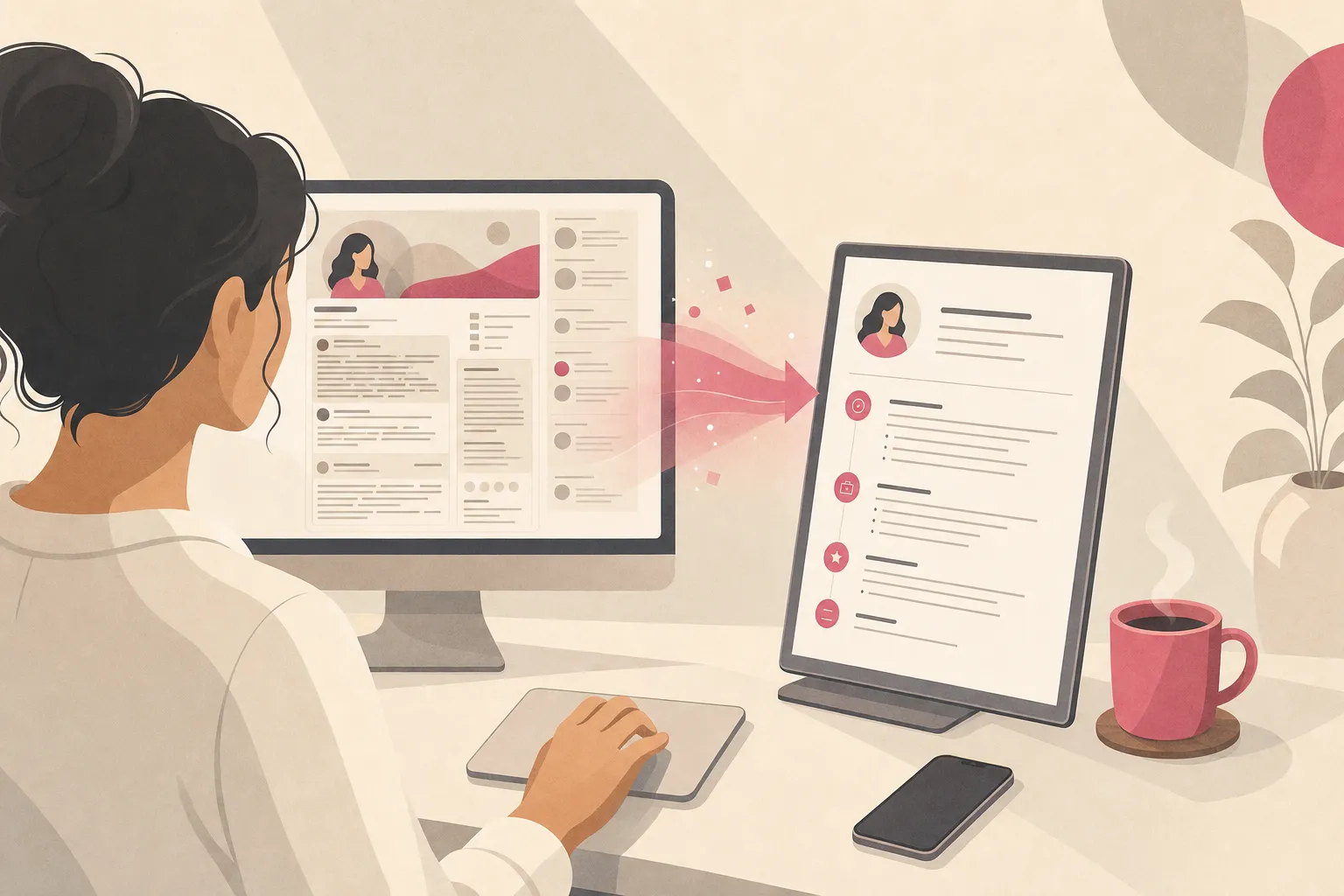
How to Turn Your LinkedIn Into a Resume With AI
To turn your LinkedIn into a resume with AI, copy your profile's text (experience, skills, education, and About section), paste it into an AI resume builder along with the job you are targeting, and let the AI restructure it into a one-page, ATS-friendly resume tailored to that role. The whole conversion takes about 20 seconds with a purpose-built tool — and yes, you can do it free.
What you should not do is rely on LinkedIn's built-in "Save to PDF" button and call it a resume. That export is not a resume in any meaningful sense: it dumps your entire profile verbatim, ignores the job you are applying for, and frequently breaks when an applicant tracking system (ATS) tries to parse it. Going from your LinkedIn to a resume the right way is a deliberate, AI-assisted process — and this guide walks through exactly how.
The payoff is worth it, because LinkedIn is where the jobs and the recruiters already are. The platform had 310 million monthly active users and 134.5 million daily active users in 20251, 61 million people search for jobs on LinkedIn every week2, and 97% of recruiters use LinkedIn to source candidates3. Your profile is the raw material; a tailored resume is the finished product you actually submit.
Why LinkedIn's "Save to PDF" Is Not a Real Resume
LinkedIn's profile-to-PDF export is the single biggest trap in this whole process. It feels like a shortcut, but it produces a document that works against you in three concrete ways.
1. It dumps everything instead of curating. Your LinkedIn profile is built to be comprehensive — every role, every recommendation, your full multi-paragraph About section. A resume is the opposite: a curated, one-page argument for one specific job. The raw export ignores that distinction and hands a recruiter a wall of text to wade through. That matters because 86% of recruiters and hiring managers spend 30 seconds or less on an initial profile screen4; a bloated dump rarely survives that glance.
2. It ignores the job you are applying for. A profile is generic by design — it has to appeal to every recruiter who finds you. A resume must be tailored to the posting in front of you. The PDF export does zero tailoring: no keyword matching, no reordering of your most relevant experience, no mirroring of the job title. It is the same generic document for every application.
3. It often breaks ATS parsing. This is the technical killer. LinkedIn's exported PDF frequently uses multi-column layouts, embedded graphics, and non-standard text encoding that an ATS struggles to read. When parsing fails, your skills and titles land in the wrong fields — or vanish entirely — so a recruiter filtering candidates never sees you.
The export trap
- LinkedIn's Save to PDF is fine for sharing your profile casually or printing it for a networking coffee. It is not built to pass an ATS or to target a specific role. Treat it as a data source for your resume, not as the resume itself.
The Right Way: 5 Steps to Convert LinkedIn to a Resume With AI
Here is the operational workflow to turn your LinkedIn profile into a tailored, ATS-safe resume. Follow it in order.
Step 1: Pull your profile data
You need the raw material first. Open your LinkedIn profile and copy the text from each core section: your headline, About summary, every Experience entry (title, company, dates, and bullet points), Skills, Education, and any certifications. You can select and copy directly from the page, or use the Save to PDF export purely as a text source — just do not submit that PDF as your resume.
The goal here is completeness: gather everything, because you will curate it down in the next steps.
Step 2: Feed it to AI alongside the target job
This is the step that separates a real resume from a profile dump. Paste your profile text into an AI resume builder together with the job description you are targeting. The AI now has both halves of the equation: your history, and what this specific role demands.
Why this matters so much: ATS keyword filtering is the first gate. Recruiters lean on it hard, and with 9,000+ job applications submitted on LinkedIn every minute — roughly 12.9 million a day5 — your resume has to match the posting's language to surface above the pile.
Step 3: Restructure into a one-page, ATS-safe format
Let the AI rebuild the content into a clean, single-column resume with standard section headings (Summary, Experience, Skills, Education). This is where the parsing problems of the raw PDF get fixed: no multi-column layouts, no graphics, no embedded tables — just text an ATS can read top to bottom.
The restructure also trims your verbose About section into a tight three-line professional summary and converts profile-style prose into crisp, scannable bullet points.
Step 4: Tailor to the specific job
Generic loses. Have the AI mirror the posting's exact job title and required skills in your summary and bullets — using only language that honestly describes what you did. If the listing says "Product Marketing Manager" and your LinkedIn headline says "Marketing Lead," align the framing so the match is unambiguous.
Mirror the title, honestly
Matching your resume's job title to the target posting is one of the highest-leverage edits you can make. Adjust your headline to reflect the role you are applying for — but never invent a title or seniority you did not hold. Reference checks and interviews expose padding fast.
Step 5: Quantify your achievements
LinkedIn profiles are notoriously vague ("responsible for marketing campaigns"). A strong resume is specific ("led 6 product launches, growing trial signups 34% YoY"). Go through each bullet the AI generated and add real numbers wherever you can: revenue, percentages, team size, budget, volume, or frequency. Quantified bullets survive a 30-second skim; vague ones do not.
The LinkedIn-to-resume checklist
- Copy your headline, About, experience, skills, and education from LinkedIn
- Paste it into an AI builder along with the target job description
- Restructure into a single-column, ATS-readable one-page layout
- Tailor the title and skills to mirror the specific posting
- Quantify every achievement bullet with real numbers or scope
- Download as a clean PDF and re-check that titles and skills parse correctly
Common Pitfalls When Converting a LinkedIn Profile to a Resume
Even motivated job seekers stumble on the same issues. Here is what to watch for — and how the AI workflow above fixes each one.
| Pitfall in a raw LinkedIn export | Why it hurts you | The AI fix | ||||
|---|---|---|---|---|---|---|
| Multi-column / PDF parsing breaks | ATS misreads or drops your skills and titles | Rebuild as single-column, standard-heading text | ||||
| No job targeting | Generic resume ranks below tailored ones | Feed the job description; mirror its keywords | ||||
| Verbose "About" copy | Burns a recruiter's 30-second skim4 | Trim to a tight 3-line summary | ||||
| Missing keywords | Falls below recruiter ATS filters | Extract and mirror the posting's exact terms | ||||
| Unquantified bullets | Vague claims do not survive a skim | Add metrics, percentages, and scope | ||||
| Same file for every job | One generic resume converts poorly | Re-tailor per application in seconds | The through-line: a LinkedIn profile is optimized to be found, while a resume is optimized to be selected for one specific role. The conversion is a translation, not a copy-paste. Convert Your LinkedIn to a Resume Free in About 20 SecondsDoing all five steps by hand — pulling data, reformatting, tailoring, quantifying — takes 30 to 45 minutes per job. That is exactly the friction that makes people give up and submit the raw PDF. AI removes it. HiredKit's free AI resume builder is built for this conversion. You paste your LinkedIn profile text and the job you are targeting, and it restructures the content into a tailored, ATS-formatted, one-page resume in about 20 seconds — fixing the parsing problems of the raw export, mirroring the posting's keywords, and tightening your verbose About section into a clean summary. It is genuinely free to build and download, with no watermark and no "export to TXT only" paywall, so you can re-tailor for the next role at zero cost. If you want the deeper mechanics of each piece, two companion guides go further: how to make an ATS-friendly resume with AI covers the formatting rules that keep parsers happy, and how to tailor your resume to a job with AI details the keyword-matching workflow for Step 4. How HiredKit differs from the LinkedIn PDF export | Capability | LinkedIn "Save to PDF" | HiredKit free builder |
| --- | --- | --- | ||||
| Job targeting | None — generic dump | Tailored to the posting you paste | ||||
| ATS-safe layout | Often multi-column, parse-prone | Single-column, ATS-clean | ||||
| Summary length | Full verbose About section | Tightened to a 3-line statement | ||||
| Keyword matching | None | Mirrors the job's exact terms | ||||
| Cost to download | Free, but unusable as-is | Free to build and download, no watermark | ||||
| Re-tailor per job | Same file every time | New tailored version in ~20s |
The difference is simple: the export gives you a printout of your profile; a purpose-built builder gives you a resume aimed at a job — repeatedly, for free.
Why Your LinkedIn Profile Still Matters After the Resume
Converting to a resume does not mean abandoning your profile — recruiters check both. Candidates with a comprehensive LinkedIn profile have a 71% higher chance of getting a job interview6, profiles with a professional photo receive 21x more profile views and 36x more recruiter messages7, and members using the public #OpenToWork frame receive on average 40% more InMails from recruiters8.
The quality of LinkedIn-sourced hires is real, too: 72% of recruiters report higher-quality hires from LinkedIn versus other channels9, candidates hired through it are 40% less likely to leave in their first six months10, and 7 people are hired through LinkedIn every minute — over 3 million new hires a year11. So keep the profile sharp and convert it into a tailored resume for each application. They are two tools that reinforce each other.
The market is moving fast
In Q3 2024, LinkedIn saw a 45.5% jump in applications submitted even as job postings fell 10.6%[12]. More competition for fewer roles means a generic profile dump loses to a tailored resume nearly every time. Tailoring is no longer optional.
After the Resume: Practice the Interview It Earns You
A tailored resume gets you in the door — the interview is what gets you the offer. And the same job description you used to convert your LinkedIn into a resume is the perfect blueprint for that interview. Every keyword you matched is a question waiting to be asked.
That is why HiredKit pairs the free resume tools with the AI Interview Simulator — a real, two-way spoken mock interview tailored to the exact role and job description. It is resume-aware, so it asks about the experience you just highlighted, and it adapts its follow-ups based on how you answer rather than reading from a fixed list. Mid-interview you can switch to Rupert, the live in-ear AI coach, for in-the-moment help structuring an answer — coaching, not scripted lines. The first stage is free.
Your next steps
- Pull your LinkedIn profile text and pick a target job
- Convert it into a tailored, ATS-safe resume with the free builder
- Download it free and re-check that titles and skills parse cleanly
- Keep your live profile polished (photo, comprehensive sections, #OpenToWork)
- Run a live mock interview for that exact role with Rupert on standby
Frequently Asked Questions
Can I just use LinkedIn's Save to PDF as my resume? Not recommended. The export dumps your entire profile, does no job tailoring, and often uses multi-column layouts that break ATS parsing — meaning your skills and titles can be misread or dropped. Use it as a text source, then convert it into a proper tailored resume with AI.
How do I turn my LinkedIn into a resume for free? Copy your profile text, paste it into a free AI resume builder along with the job you are targeting, and let it restructure the content into a one-page, ATS-friendly resume. HiredKit's builder does this in about 20 seconds and lets you download free, with no watermark or download paywall.
Will an AI-converted resume pass the ATS? It is far more likely to than a raw LinkedIn PDF. A purpose-built builder outputs a single-column layout with standard headings and mirrors the posting's keywords — the two things ATS parsers and recruiter filters reward. Always do a quick final check that your titles and skills appear correctly.
Should I delete my LinkedIn profile after making a resume? No. Recruiters check both, and a comprehensive profile raises your interview odds 71%6. Keep the profile current and use it as the source for a tailored resume per application — they work together.
How is this different from just asking ChatGPT? A chatbot gives you text you still have to format and fix. A purpose-built builder produces a tailored, downloadable, ATS-clean resume aimed at one posting — and lets you re-tailor for the next job in seconds, for free.
Your LinkedIn profile is the raw material; a tailored, ATS-safe resume is the finished product. Skip the broken PDF export, run the five-step AI conversion, and submit something built to be selected. Start by building your resume free, then practice the interview for that exact role.
References
- [1]Cognism — 100 Essential LinkedIn Statistics and Facts for 2026 (2025). 100 Essential LinkedIn Statistics and Facts for 2026
- [2]RecruitAI Suite — 35 LinkedIn Recruiting Statistics for 2026 (2025). 35 LinkedIn Recruiting Statistics for 2026
- [3]RecruitAI Suite — 35 LinkedIn Recruiting Statistics for 2026 (Jobvite Recruiter Nation Survey) (2025). 35 LinkedIn Recruiting Statistics for 2026
- [4]Onrec — LinkedIn Study Shows 86% of Recruiters Screen Profiles Within 30 Seconds (2025). LinkedIn Study Shows 86% of Recruiters Screen Profiles Within 30 Seconds
- [5]RecruitAI Suite — 35 LinkedIn Recruiting Statistics for 2026 (2025). 35 LinkedIn Recruiting Statistics for 2026
- [6]Cognism — 100 Essential LinkedIn Statistics and Facts for 2026 (ResumeGo field experiment) (2025). 100 Essential LinkedIn Statistics and Facts for 2026
- [7]Executive Headshots — 77 Key LinkedIn Statistics You Need To Know (2024). 77 Key LinkedIn Statistics You Need To Know In 2024
- [8]Cognism — 100 Essential LinkedIn Statistics and Facts for 2026 (2024). 100 Essential LinkedIn Statistics and Facts for 2026
- [9]The Social Shepherd — 41 Essential LinkedIn Statistics (2024). 41 Essential LinkedIn Statistics
- [10]RecruitAI Suite — 35 LinkedIn Recruiting Statistics for 2026 (LinkedIn Talent Solutions) (2024). 35 LinkedIn Recruiting Statistics for 2026
- [11]Cognism — 100 Essential LinkedIn Statistics and Facts for 2026 (2025). 100 Essential LinkedIn Statistics and Facts for 2026
- [12]RecruitAI Suite — 35 LinkedIn Recruiting Statistics for 2026 (LinkedIn Recruitment Trends Report Q3 2024) (2024). 35 LinkedIn Recruiting Statistics for 2026