
How to Make an ATS-Friendly Resume With AI
An ATS-friendly resume AI builder produces a file that an applicant tracking system can read without dropping your information: single-column layout, standard fonts, conventional section headers, no graphics or text boxes, no content in headers or footers, and a .docx or text-based .pdf export. The fastest reliable way to get one in 2026 is to let an AI resume builder generate the layout for you in a single pass, because it applies these machine-readability rules by default instead of leaving you to police them by hand.
This post is the definition-first reference. It is not about keyword matching (that is tailoring) — it is about the mechanics of parsing: what the software actually reads, what it silently discards, and the concrete formatting rules that survive the scan. Get the parsing right first; the keywords only matter once the machine can read them.
What Is an ATS and Why It Decides Your Fate
An applicant tracking system (ATS) is software that recruiters use to collect, store, search, and rank job applications. When you upload a resume, the ATS parses it into structured data fields — name, contact, work history, skills — that a recruiter can then search and filter. If parsing fails, the field comes back blank or garbled, and you effectively vanish from the search results.
This is nearly universal at scale. In 2025, an ATS was detected on 97.8% of Fortune 500 career sites — 489 of 500 companies1. The global ATS market was worth USD 3.2 billion in 2024 and is projected to reach USD 6.2 billion by 2031, a 10.0% CAGR2. And 82% of companies already use AI to review resumes, with 83% planning to in the year ahead3. The first reader of your resume is almost always a machine.
The myth to drop
The popular "75% of resumes are auto-rejected by a robot before a human sees them" line is overstated. Only about 8% of ATS deployments are configured to auto-reject; the other 92% rank and sort applicants rather than auto-eliminating them[4]. The real risk is not a robot trash can — it is ranking near the bottom because the parser mangled your resume.
What an ATS Actually Parses (and What It Silently Drops)
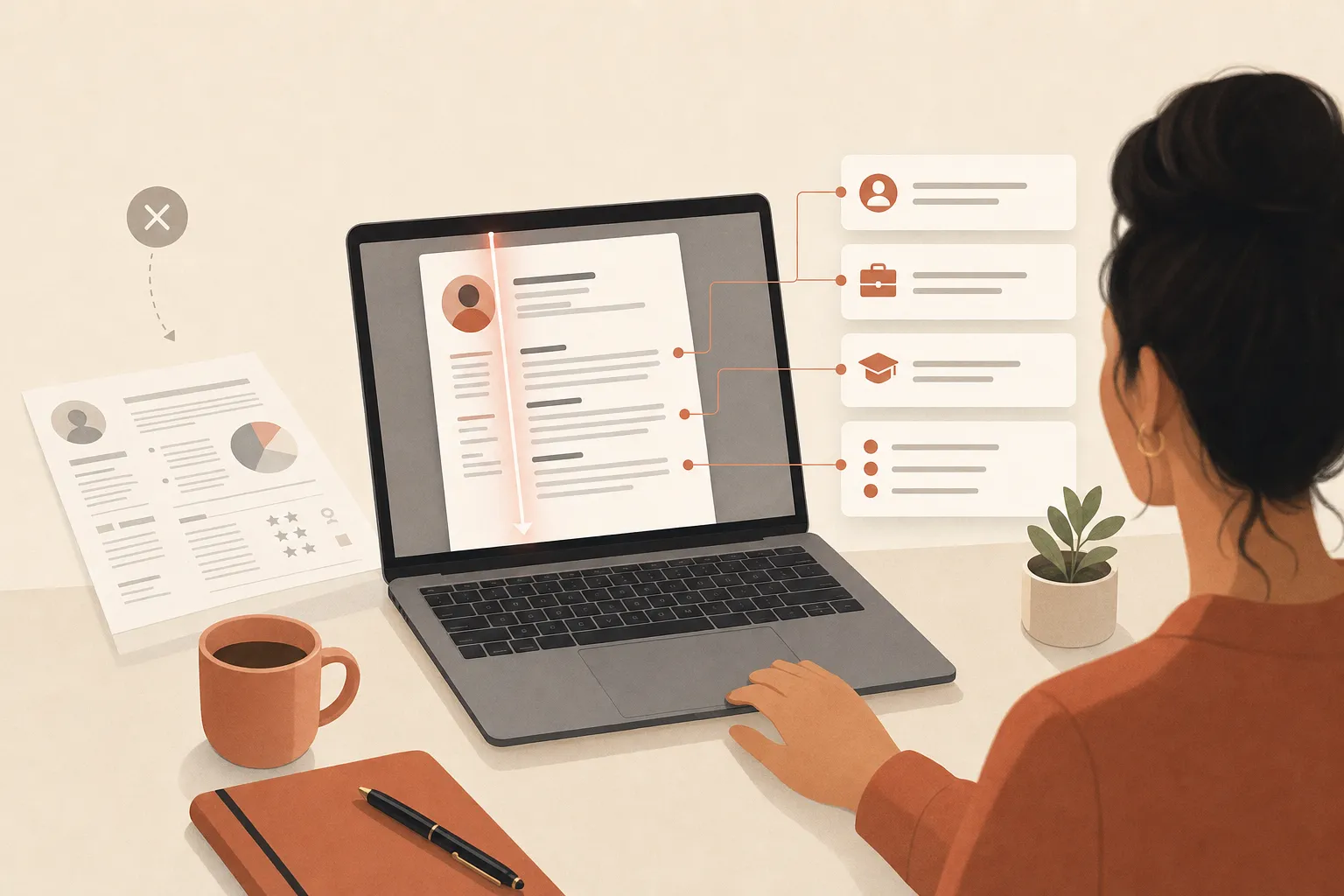
An ATS parser reads your file top to bottom and tries to map text into known fields. It is good at plain, linear text and bad at anything that looks like design. Here is the breakdown.
What it parses reliably:
- Plain body text in a single column, read left-to-right, top-to-bottom.
- Standard section headers it recognizes by name (Experience, Education, Skills).
- Standard date formats next to job titles and companies.
- Text-based hyperlinks and contact lines in the body.
What it silently drops or scrambles:
- Tables and multi-column layouts — the parser may read across columns instead of down, fusing unrelated text into nonsense.
- Text inside headers and footers — many parsers ignore these zones entirely, so a name or phone number placed there can disappear.
- Graphics, icons, logos, and charts — images carry no machine-readable text, so a skills bar chart conveys nothing.
- Text boxes and shapes — content floating in a box often parses out of order or not at all.
- Non-standard fonts and special characters — decorative fonts and symbol bullets can render as gibberish.
The cost is measurable. Formatting errors — tables, columns, graphics — account for 23% of ATS parsing failures, while qualification and keyword gaps drive the larger 57% of rejections5. So formatting alone will not win you the job, but broken formatting can quietly sink an otherwise strong resume before the keywords are even read.
The ATS-Safe Resume Rules: A Do/Don't Table
These are the concrete, machine-readability rules. Each is a definition line — what to do, and the parsing reason behind it.
| Element | Do | Don't | Why it matters |
|---|---|---|---|
| Layout | Single column, linear top-to-bottom | Two or more columns, sidebars | Parsers read left-to-right; columns scramble word order |
| Tables | Plain text with simple bullets | Tables to align skills or dates | Cell content often parses out of sequence |
| Fonts | Arial, Calibri, Helvetica, Georgia, Times | Decorative or custom-embedded fonts | Non-standard fonts can render as unreadable characters |
| Headers/footers | Contact info in the body, top of page 1 | Name or phone in the page header/footer | Many parsers ignore header/footer zones entirely |
| Graphics | Text only | Logos, icons, photos, skill bars, charts | Images carry no parseable text |
| Section labels | Standard names: Experience, Education, Skills | Clever labels like "Where I've Made Impact" | Parsers map fields by recognizing conventional headers |
| File type | .docx, or a text-based (selectable) .pdf | Scanned/image PDF, .pages, .jpg | The parser needs extractable text, not a picture of text |
| Bullets | Standard round or square bullets | Emojis, arrows, or symbol-font markers | Exotic glyphs can break the line or drop content |
| Dates | Consistent MM/YYYY next to each role | Mixed or missing date formats | Clean dates let the parser build your timeline |
| Keywords | Skills written out in plain text in context | Skills hidden in images or white-on-white text | Hidden text is detected and flags you as deceptive |
The white-text trick is dead
- Do not paste invisible keywords (white text on a white background) to game the parser. Modern ATS and the AI layers on top of them strip formatting before reading, so the hidden text shows up plainly to recruiters — and reads as an attempt to deceive. It is a fast route to the no pile, not the top of the stack.
Why "ATS-Friendly" Is Not the Same as "Keyword-Stuffed"
Answer first: ATS-friendliness is about machine readability; keyword matching is about relevance. They are two separate jobs, and confusing them is the most common mistake.
Parsing is the gate. If your resume parses cleanly, your real skills and titles land in the right fields. Then relevance ranking kicks in — the ATS sorts candidates by how well their content matches the posting. The median resume scores just 48 out of 100 on ATS compatibility on first submission, and 51% score below 506. A clean layout lifts the readability half of that score; tailoring the content lifts the relevance half. You need both, but you cannot tailor your way out of a layout the machine cannot read.
If you want the relevance side after you have a clean file, our guide on how to tailor your resume to a job with AI covers keyword matching step by step. This post stays on the parsing mechanics.
How an AI Builder Generates an ATS-Safe Resume in One Pass
The fastest way to guarantee every rule above is to not format the document by hand at all. A purpose-built AI resume builder starts from an ATS-safe template — single column, standard fonts, conventional headers, no graphics — and pours your content into it, so the file is parse-clean by construction rather than by careful proofreading.
This is now the dominant workflow. Over 1.2 million job seekers used AI resume features in 2025, and 773,000 of them (64%) used AI specifically to check ATS compatibility7. There is also hard evidence the output helps: in a randomized experiment across 480,948 jobseekers, those whose resumes got AI-assisted editing were 7.8% more likely to receive job offers and earned 8.4% higher wages8.
HiredKit's free AI resume builder is built for exactly this. You enter your details and it generates a clean, single-column, ATS-safe layout in about 20 seconds — standard fonts, recognizable section headers, no tables or graphics, exported in a parser-friendly format. It is free to build and download, with no watermark and no TXT-trap export, so the file you send is the file the ATS reads. If you are starting from scratch, our walkthrough on how to make a resume with AI for free covers the build step first.
How HiredKit differs from a chatbot or a design template
| Approach | ATS-safe layout | Standard fonts/headers | Clean export | Effort |
|---|---|---|---|---|
| Canva / design template | Often multi-column + graphics | Frequently decorative | PDF that may be image-heavy | High, and easy to break parsing |
| Generic ChatGPT prompt | You build the layout yourself | You choose and can pick wrong | You handle the file format | Manual, error-prone |
| HiredKit free builder | Single column by default | Standard, parser-tested | Parser-friendly, watermark-free | ~20 seconds |
The difference: a chatbot hands you text and a design tool hands you a pretty PDF that often fails parsing. A purpose-built builder hands you a finished file that is machine-readable by default.
Your ATS-safe build checklist
- Use a single-column layout with no tables or text boxes
- Keep contact details in the body, not the page header or footer
- Use a standard font and standard, recognizable section headers
- Remove every logo, icon, photo, and skills chart
- Export as a text-based .docx or selectable .pdf
- Write skills as plain text in context, never hidden or in images
Test Your Resume Before You Send It
Here is a 10-second DIY test that catches most parsing problems: open your finished PDF, select all the text, copy it, and paste it into a plain notepad. If the text comes out in the right order and nothing is missing, an ATS can probably read it. If columns interleave, bullets turn to boxes, or your name from the header vanishes, the parser will trip on the same thing.
A few extra checks:
- Confirm your contact line copies out — if it lived in a header, it may be gone.
- Check date order — roles should appear with clean, consistent dates.
- Look for merged lines — fused text is the tell-tale sign of a column or table that read sideways.
The copy-paste test
If your resume survives a copy-and-paste into plain text with its order and content intact, it will survive most ATS parsers. This single test catches the column, table, and header/footer failures that cause the bulk of formatting rejections.
A Reality Check on the Machines Reading You
ATS and AI screening are imperfect, which is exactly why a clean, honest, well-structured resume matters. 88% of employers say their own ATS screens out qualified, high-skilled candidates because criteria are matched too strictly9. AI screening carries documented bias too: one University of Washington study found AI tools favored white-associated names 85% of the time and never preferred Black-male-associated names over white-male ones across 3 million-plus comparisons10. And 67% of companies using AI in hiring admit it produces biased recommendations always or often11.
The public is wary as well — 71% of Americans oppose AI making final hiring decisions12. The practical takeaway for you: do not try to out-trick the machine, and do not over-rely on it. Make your resume cleanly parseable and truthful, then make sure a human who does read it finds something worth advancing. With 21% of U.S. workers now using AI in their own jobs13 and 99% of hiring managers using AI somewhere in hiring14, the bot is a checkpoint — not the decision-maker.
After the ATS: Prepare for the Human
A clean, ATS-safe resume gets you past the parser and onto a recruiter's shortlist. That is the on-ramp — not the finish line. Once the bot clears you, a real person interviews you, and that is where offers are actually won or lost.
That is why HiredKit pairs the free resume tools with the AI Interview Simulator — a real, two-way spoken mock interview tailored to the role you applied for. It is resume-aware, so it asks about the experience you just listed, and it adapts its follow-ups to how you answer instead of reading from a fixed script. Mid-interview, you can switch to Rupert, the live in-ear AI coach, for in-the-moment help structuring an answer. Once your resume clears the bot, that is the practice that turns the interview into an offer.
Your next steps
- Build a single-column, ATS-safe resume with the rules above
- Run the copy-paste test to confirm clean parsing
- Tailor the content to each posting's keywords for relevance
- Once you land the interview, run a resume-aware mock with Rupert on standby
Frequently Asked Questions
What does ATS-friendly actually mean? It means an applicant tracking system can parse your resume into structured fields without dropping or scrambling content. In practice: single column, standard fonts, conventional section headers, no tables or graphics, contact info in the body, and a text-based file format.
Is PDF or Word better for an ATS?
Either works if the text is selectable. A text-based .docx or a .pdf exported from a word processor both parse cleanly. The one to avoid is an image-based or scanned PDF — a picture of text has no extractable characters for the parser to read.
Will an ATS reject my resume automatically? Usually not. Only about 8% of ATS deployments are configured to auto-reject; 92% rank and sort instead4. The real danger is ranking poorly because broken formatting kept your skills and titles from parsing into the right fields.
Do I need to pay for an ATS resume builder? No. HiredKit's resume builder is free to build and download, with no watermark and no download paywall, and it generates an ATS-safe layout by default — so you can produce a parser-clean file at no cost.
Does an ATS-friendly resume guarantee an interview? No. Clean parsing is necessary but not sufficient — formatting drives roughly 23% of parsing failures, while relevance and qualification gaps drive 57% of rejections5. You still need to tailor the content to the posting, then prepare for the human interview that follows.
An ATS-friendly resume is the price of admission in 2026: get the machine-readability mechanics right, and your real qualifications make it into the recruiter's search. Start by building an ATS-safe resume free, tailor it to each role, then practice the interview for that exact job.
References
- [1]Jobscan — 2025 Applicant Tracking System Usage Report (2025). Fortune 500 Use Applicant Tracking Systems
- [2]The Insight Partners — Applicant Tracking System Market Report (via PRNewswire) (2025). Applicant Tracking System (ATS) Market Size to Surpass $6.2 Billion Globally by 2031 at 10.0% CAGR
- [3]ResumeBuilder.com — 7 in 10 Companies Will Use AI in the Hiring Process in 2025 (Pollfish survey, n=948) (2024). 7 in 10 Companies Will Use AI in the Hiring Process in 2025
- [4]ResumeAdapter — ATS Statistics 2026 (Enhancv analysis of 25 US recruiters) (2026). ATS Statistics 2026
- [5]ResumeAdapter — ATS Statistics 2026 (Enhancv research) (2026). ATS Statistics 2026
- [6]ResumeAdapter — ATS Statistics 2026 (Q1 2026 pipeline analysis) (2026). ATS Statistics 2026
- [7]Kickresume — Over 1.2 Million Job Seekers Used AI in 2025 (2025). Over 1.2 Million Job Seekers Used AI in 2025
- [8]NBER Working Paper 30886 — Algorithmic Writing Assistance on Jobseekers' Resumes Increases Hires (2023). Algorithmic Writing Assistance on Jobseekers' Resumes Increases Hires
- [9]Harvard Business School and Accenture — Hidden Workers: Untapped Talent (survey of 2,250+ executives) (2021). Hidden Workers: Untapped Talent
- [10]University of Washington — Research Finds Racial and Gender Bias in AI Tools Ranking Job Applicants' Names (2024). AI Tools Show Racial and Gender Bias in Ranking Job Applicants
- [11]ResumeBuilder.com — 7 in 10 Companies Will Use AI in the Hiring Process in 2025 (Pollfish survey, n=948) (2024). 7 in 10 Companies Will Use AI in the Hiring Process in 2025
- [12]Pew Research Center — AI in Hiring and Evaluating Workers: What Americans Think (n=11,004) (2023). AI in Hiring and Evaluating Workers: What Americans Think
- [13]Pew Research Center — About 1 in 5 US Workers Now Use AI in Their Job (n=5,010) (2025). About 1 in 5 US Workers Now Use AI in Their Job, Up Since Last Year
- [14]Insight Global — 2025 AI in Hiring Survey Report (n=1,005 US hiring managers) (2024). 2025 AI in Hiring Report