
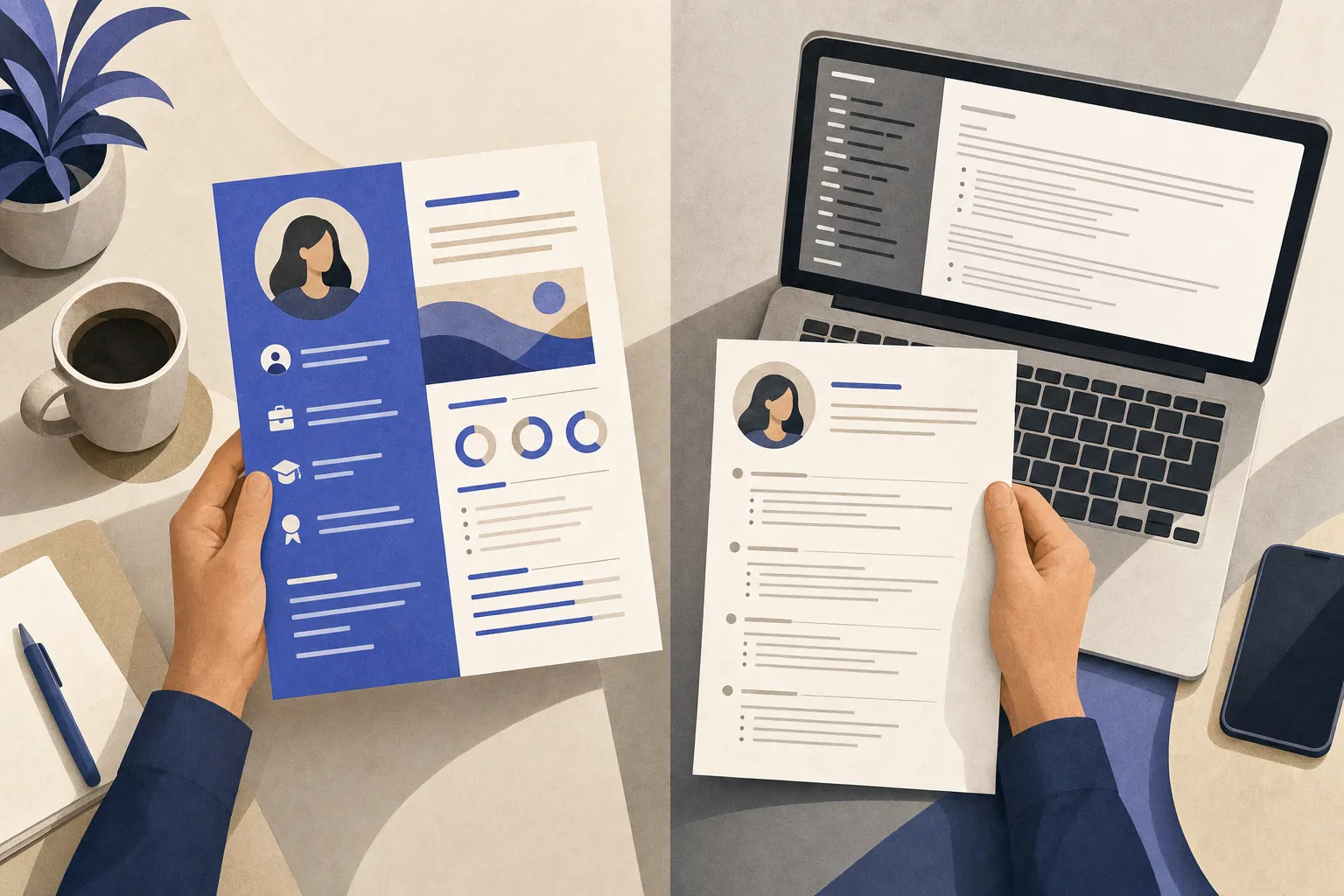
Is a Canva resume ATS-safe? The honest answer
A Canva resume is ATS-safe only when you deliberately make it ATS-safe: a single-column layout, real text instead of graphics, standard fonts, and a clean text-based PDF export. Most of Canva's beautiful default templates are not ATS-safe out of the box, because they lean on multi-column layouts, text boxes, icons, and image-rendered text that applicant tracking systems struggle to read in order. So the question "is a Canva resume ATS-friendly" has the same answer as "is a car safe" — it depends entirely on how you drive it.
This matters because the gatekeeper is nearly universal. In 2025, an ATS was detected for 97.8% of Fortune 500 companies — 489 out of 500 — and Workday alone is used by over 39% of them1. If your resume scrambles when a parser reads it, a recruiter may never see the polished version you spent an hour designing.
The good news: rejection is rarely automatic and silent. In a September-October 2025 survey of 25 U.S.-based recruiters, 92% said their systems do NOT auto-reject resumes based on formatting, content, or design5. A parsing problem usually means your data lands garbled or in the wrong fields, not that a robot instantly bins you. But garbled data still hurts you in keyword search and recruiter review. This guide gives you a framework to judge it, an honest dated comparison of Canva versus AI resume builders, and a clear rule for when each one is the right tool.
Why heavily-designed resumes break ATS parsing
An applicant tracking system does not "see" your resume the way a human does. It reads the underlying file linearly, top to bottom, and tries to map chunks of text into structured fields: name, contact, work history, skills, education. Design choices that delight a human reader can quietly sabotage that process.
Here are the four failure modes that come up again and again:
- Text trapped inside images. If a template renders your name, headline, or a skills graphic as an image, the parser sees a picture, not words. Worst case, an image-based PDF exports as effectively blank text — your qualifications are invisible3.
- Multi-column layouts read out of order. A two-column design looks tidy, but a linear parser may read straight across, interleaving your sidebar skills into the middle of a job description. In one cross-platform test, single-column templates averaged 93% ATS compatibility while double-column layouts averaged only 86%4.
- Icons, tables, and text boxes. Visual elements have no text value to a parser, and text boxes can cause content to appear out of order or be skipped entirely3.
- Non-standard fonts. Decorative or unusual typefaces can render as unreadable characters or misaligned text once the file is parsed3.
The data shows how much design weight costs you. When Enhancv tested 36 templates across four platforms using Indeed's ATS, Canva templates averaged an 80.07% ATS compatibility score, compared with Enhancv at 96.73%, Google Docs at 95.77%, and Microsoft Office at 84.85%2. Within Canva itself, the split is telling: modern, infographic-style templates averaged just 73% compatibility, while Canva's simple designs averaged 85%3. The fancier the template, the worse it parsed.
Enterprise parsers are even less forgiving. In a separate test of 50 popular Canva resume templates across Workday, Greenhouse, Taleo, and iCIMS, only 14% (7 of 50) passed all four parsers, 42% had partial failures such as losing a name or email, and 44% failed completely with scores under 60%6. Losing your email address to a parsing glitch is a quiet, total failure.
The most common Canva trap
- The biggest single risk is exporting a design-heavy template where contact details or section headers are baked into graphics or text boxes. The resume looks perfect to you, parses to a fraction of itself for the recruiter, and you never find out why you went silent.
When Canva is genuinely fine
Canva is a legitimately great design tool, and there are real situations where a Canva resume is the right call. Being fair about this is the point — a one-column, text-based Canva resume can parse well, and millions of people land interviews with Canva files.
Use Canva with confidence when:
- You are applying for creative, design, or portfolio roles where the resume itself is a work sample. For a graphic designer, marketer, or illustrator, a striking layout demonstrates job-relevant skill, and many of these applications are human-reviewed first.
- The application is human-reviewed, not ATS-screened. Small companies, startups, in-person handoffs, networking introductions, and direct-to-hiring-manager emails often skip the parser entirely.
- You deliberately choose an ATS-safe Canva template. Search Canva for "simple" or "ATS" templates, pick a single-column layout with no icons or sidebars, use a standard font, keep your contact details as live text, and export a text-based PDF.
- You run the plain-text test before sending. Copy your finished resume and paste it into a plain .txt file. If your name, contact details, and job history appear in the correct order and are fully readable, the template is likely parse-safe. If chunks vanish or scramble, the design is fighting the parser.
The 60-second parse test
Before you submit any resume built in any tool, open the exported PDF, select all, copy, and paste into a blank text file. Read it top to bottom as a robot would. If it reads cleanly in the right order, an ATS can probably read it too. This single check catches most Canva parsing problems.
Canva vs AI resume builders: the comparison framework
When people search "Canva resume vs AI resume builder," they are really asking which trade-off to accept: maximum design freedom, or maximum parse reliability. Canva optimizes for the page a human sees; ATS-focused AI builders optimize for the data a machine extracts. Judge any tool on five criteria:
- ATS parse reliability — does the default output read cleanly when parsed?
- Design freedom — how much visual control and template variety do you get?
- Tailoring and keywords — does it help match the resume to a specific job description?
- Free to build AND download — can you export a usable file without paying or hitting a watermark?
- Speed — how fast can you get from zero to a submittable resume?
No single tool maxes out all five. The honest comparison below is dated to June 2026; re-check any price before you rely on it, because builders change pricing and free tiers constantly.
| Tool | ATS parse reliability | Design freedom | Free to build + download? | Cheapest paid (as of June 2026) | Standout | Honest limitation |
|---|---|---|---|---|---|---|
| Canva | Mixed; safe only with simple single-column templates (80.07% avg in testing)2 | Best in class | Yes, free PDF export | Pro ~$15/mo (design suite, not resume-specific) | Unmatched design freedom and free templates | Default templates parse poorly; easy to over-design26 |
| Teal | Good; clean single-column output | Moderate | Yes, builds and exports clean PDF free | $13/wk, $29/mo, or $79/qtr | Job tracker plus resume in one workflow | Best AI and keyword tailoring are credit-throttled on free; weekly auto-renew |
| Rezi | Strong; ATS-first by design | Limited | Partial; free = 1 resume, 3 PDF downloads (unlimited DOCX) | $29/mo or $149 lifetime | ATS-optimized structure and one-time lifetime option | Free tier caps you at one resume; AI writing is paid |
| HiredKit | ATS-friendly output by design | Moderate | Yes, free to build and download | Free resume tools | Free, tailored, ATS-friendly resume in about 20 seconds, bridging into interview prep | Not a design playground; not the deepest standalone ATS analytics |
A few honest notes on this table. Canva genuinely wins on design and brand familiarity — nothing else gives you that creative range or that template library. Teal and Rezi are strong, purpose-built resume tools, but their best features sit behind credit limits or paywalls, and Rezi's free tier is one resume and three PDFs. None of these tools is strictly better than the others; they serve different priorities.
How HiredKit differs
HiredKit takes the opposite starting point from Canva. Instead of giving you a blank canvas and hoping you keep it parse-safe, its free AI resume builder generates an ATS-friendly, tailored resume by default — single-column, real text, standard structure — in about 20 seconds, and you can build and download it for free. You are not designing around the parser; the output is built to clear it from the start.
That lines up with where hiring is going. As of late 2024, 51% of U.S. companies were using AI in their hiring process, with 82% of those using it specifically to review resumes, a figure projected to reach 68% of companies by the end of 20257. When a machine reads first, clean parsing is not a nice-to-have.
Where HiredKit does not win, and we will say so plainly: it is not a design studio. If you want infographic flair, custom color systems, or a portfolio-grade layout, Canva is the better tool. And for the deepest job-description-specific ATS scoring, dedicated scanners go further. HiredKit's claim is narrower and honest — free, tailored, ATS-friendly, and fast.
The bigger advantage is the bridge. A resume is step one; the interview is where offers are decided. Once your resume is clean, you can move straight into practising with HiredKit's AI interview simulator, a real two-way spoken mock interview with a live in-ear AI coach (Rupert) and per-part graded feedback. Most resume tools stop at the document. HiredKit treats the resume as the on-ramp to the part that actually gets you hired.
Do Canva resumes get rejected by ATS?
Not usually in the literal, automatic sense. Remember that 92% of surveyed recruiters said their systems do not auto-reject on formatting or design5. The realistic failure is subtler and arguably worse: your Canva resume parses incompletely, so your keywords do not register, your name or email goes missing, or your experience lands scrambled — and a recruiter scrolling a parsed shortlist simply passes over a profile that looks thin or broken. You are not rejected by a rule; you are quietly outcompeted by resumes the parser could actually read.
That is why the fix is not "never use Canva." The fix is to make sure whatever tool you use produces a clean, single-column, text-based file — and to verify it with the plain-text test before you hit submit.
FAQ
Is a Canva resume ATS-friendly? It can be, if you choose a simple single-column template, use real text and standard fonts, avoid icons and sidebars, and export a text-based PDF. Canva's design-heavy default templates are frequently not ATS-friendly23.
Do Canva resumes get rejected by ATS? Rarely by automatic rule, since most recruiter systems do not auto-reject on formatting5. The real harm is parsing problems that drop or scramble your content, which costs you in keyword search and recruiter scanning6.
What are common Canva resume parsing problems? Text baked into images, multi-column layouts read out of order, icons and text boxes that get skipped, and non-standard fonts that render as garbled characters34.
Should I use Canva or an AI resume builder? Use Canva for creative or human-reviewed applications where design is an asset. Use an ATS-focused AI builder when you are applying through corporate ATS pipelines and want reliable parsing without manual fiddling.
Is there a free, ATS-friendly resume builder? Yes. Several tools build and download free, including HiredKit's free resume builder, which produces an ATS-friendly, tailored resume in about 20 seconds. Teal also exports a clean PDF free, while Rezi's free tier caps you at one resume and three PDFs.
The bottom line
Canva is not the villain and AI builders are not magic. A Canva resume is ATS-safe when you treat the parser as the first reader: one column, real text, standard fonts, clean PDF, verified with the plain-text test. If you would rather skip the design tightrope, an ATS-first builder gives you a parse-safe file by default. For a deeper walkthrough of parse-safe formatting, see how to make an ATS-friendly resume with AI, and for a wider field of free options, compare the best free AI resume builders with no paywall.
Your next steps
- Run the plain-text test on your current resume before any application.
- If you use Canva, switch to a single-column simple template with no icons or sidebars.
- For corporate ATS pipelines, build a parse-safe, tailored resume free with HiredKit's resume builder.
- Once your resume is clean, practise the interview with a live AI mock so the document actually converts into an offer.
References
- [1]Jobscan (2025). Jobscan 2025 Applicant Tracking System (ATS) Usage Report
- [2]
- [3]
- [4]
- [5]
- [6]CVCraft (2025). Can Canva Resumes Pass ATS in 2026? [Real Test Results]
- [7]ResumeBuilder.com (2024). 7 in 10 Companies Will Use AI in the Hiring Process in 2025